
In today’s digital landscape, content creation has reached a pivotal turning point with the emergence of generative AI technologies. For creators and businesses alike, the traditional methods of producing high-quality videos and images often involve countless hours of work, substantial resources, and technical expertise. Yet, despite these investments, achieving consistently professional results remains a challenge for many.
Enter Kling AI, a groundbreaking suite of generative tools that’s revolutionizing how we approach content creation. This innovative platform addresses the common frustrations of time-consuming production processes while delivering exceptional quality that meets professional standards. Whether you’re a social media influencer, marketing professional, or content entrepreneur, Kling AI offers a comprehensive solution that transforms complex creative tasks into streamlined, efficient workflows.
In this guide, we’ll explore how to harness the full potential of generative AI capabilities, providing you with practical insights and strategies to elevate your content creation process. From mastering advanced prompt engineering to optimizing outputs for various platforms, you’ll discover how to leverage this cutting-edge technology to enhance your creative productivity while maintaining artistic control.
Understanding Generative AI for Modern Content Creation
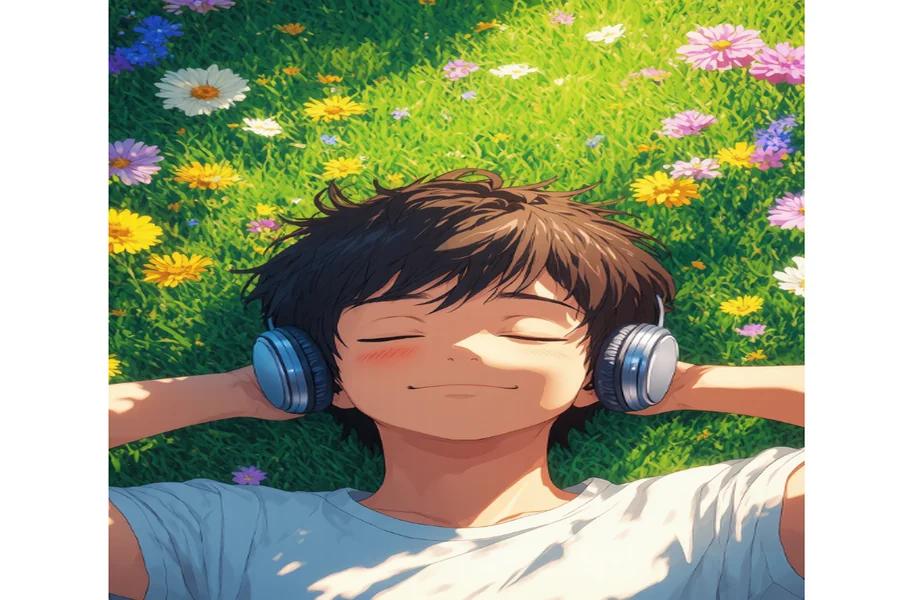
Generative AI has fundamentally transformed the landscape of digital content creation, introducing powerful tools that can translate text descriptions into stunning visual content. At its core, AI text-to-image generator employs sophisticated neural networks trained on vast datasets to interpret natural language prompts and produce corresponding images. This technology has evolved from creating simple, static images to generating complex, dynamic video content, opening new possibilities for creators across industries.
The evolution of these tools marks a significant shift from traditional content creation methods. What once required extensive technical expertise in photography, videography, and editing can now be accomplished through intuitive AI interfaces. This democratization of content creation has particularly impacted social media marketers, digital artists, and business owners who can now produce professional-grade content without extensive technical training or expensive equipment.
The industry impact extends beyond just accessibility. Content creators are experiencing dramatically reduced production timelines, enabling faster iteration and more experimental approaches. Marketing teams can quickly generate multiple versions of content for A/B testing, while creative professionals can use AI as a brainstorming tool to explore new concepts rapidly. This shift has created a new paradigm where the emphasis moves from technical execution to creative direction and strategic thinking.
Mastering Video Generation: Step-by-Step
Workflow Setup Essentials
Begin your video generation journey by accessing your AI platform’s intuitive dashboard and configuring your workspace preferences. Set your default output parameters, including resolution, frame rate, and video length to streamline future projects. Create project folders with clear naming conventions to organize your generated content effectively. The platform’s quick-start templates provide excellent starting points for different video styles, from promotional content to social media stories.
Advanced Prompt Engineering Techniques
Success in video generation hinges on crafting precise, descriptive prompts that capture your creative vision. Start with a clear scene description, then layer in specific details about movement, lighting, and atmosphere. For example, instead of “person walking,” use “young professional confidently striding through a sun-lit modern office space, wearing business attire, with smooth camera tracking.” Include temporal markers to guide scene transitions and maintain consistency across frames. Experiment with style modifiers like “cinematic,” “documentary-style,” or “high-fashion” to achieve specific aesthetic qualities.
Post-Generation Refinement Process
After generating your base video, utilize advanced editing features to perfect your content. The frame-by-frame editor allows you to adjust individual moments while maintaining overall consistency. Apply motion smoothing to ensure fluid transitions, fine-tune color grading for professional polish, and leverage smart object tracking to maintain focus on key elements. AI-powered stabilization tools can automatically correct any minor inconsistencies, resulting in broadcast-ready footage that meets professional standards.
Professional Image Creation Strategies
Generating Base Images from Text Prompts
Creating professional-quality images starts with understanding how to craft effective prompts. Begin by outlining your desired image’s core elements, including subject matter, composition, lighting, and mood. Structure your prompts with primary descriptors first, followed by style modifiers and technical specifications. For instance, “close-up product photography of a minimalist ceramic vase, soft natural lighting, shallow depth of field, studio setting, 8K resolution” provides clear direction for the AI.
In-Platform Editing Workflow
Modern AI editing suites offer sophisticated tools for refining generated images. Access smart composition grids to perfect image balance and apply style transfer features to maintain consistent branding across multiple images. Precision object removal tools employ advanced inpainting technology to seamlessly eliminate unwanted elements while preserving background integrity. Fine-tune lighting and color grading using advanced curve controls for professional-grade results.
Export Settings for Different Content Platforms
Optimize your final images with platform-specific export presets. For Instagram, use square crop tools with built-in safe zone indicators and export at 1080×1080 pixels. LinkedIn posts benefit from professional color profile settings and 1200×627 pixel ratios. Website images can be batch-processed with automatic compression and responsive sizing options. Smart format converters can automatically select between JPEG, PNG, or WebP based on image content and platform requirements, ensuring optimal quality and loading performance across all digital channels.
Transforming Content Creation with AI Technology
The evolution of generative AI represents a watershed moment in content creation, offering creators unprecedented power to transform their ideas into professional-quality visual content. Through innovative combinations of sophisticated AI algorithms and user-friendly interfaces, modern platforms have successfully bridged the gap between technical complexity and creative expression, making professional content creation accessible to creators at all skill levels.
Success with generative AI comes from mastering key components: crafting precise prompts, utilizing advanced editing features, and implementing efficient workflow processes. By following the structured approach outlined in this guide – from initial setup to final export – creators can dramatically reduce production time while maintaining consistently high-quality outputs across both video and image content.
As generative AI technology continues to evolve, platforms like Kling AI stand at the forefront of innovation, consistently updating their capabilities to meet the growing demands of the creative industry. The commitment to combining cutting-edge technology with practical usability ensures these tools will remain essential for future-focused content creators. Start your journey with generative AI today and join the growing community of creators who are redefining the boundaries of digital content production.
