
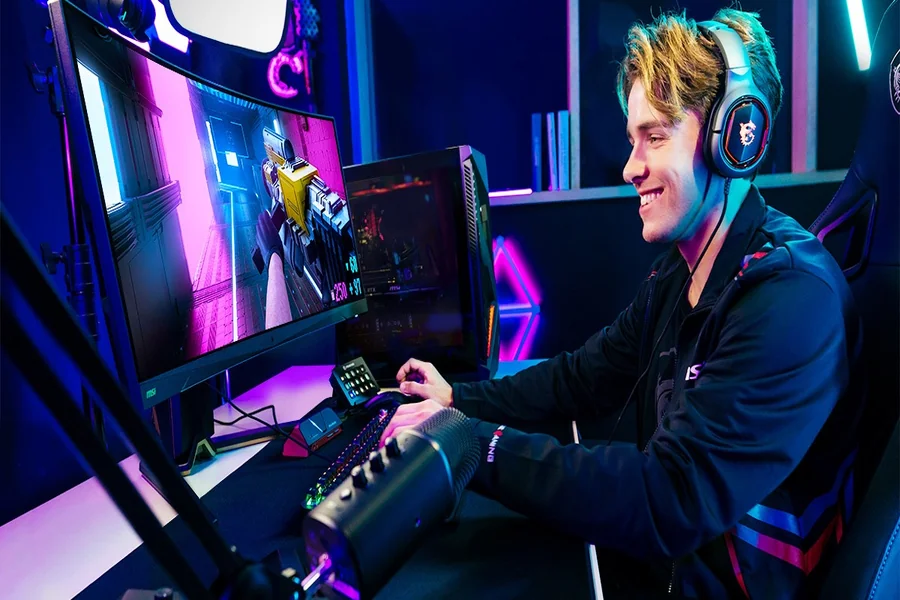
As you begin the streaming experience, just realize you don’t know have to know everything at once. There are just so many choices of hardware options, you may not know where to start. But, the good news is that it doesn’t have to empty your wallet to start creating quality content that allows connect with your audience. So, take a look at some wants and needs and not just what the internet “says” you should have.
Live Streaming Hardware Essentials
Your computer is the heart of your live streaming hardware, and it needs to handle multiple tasks simultaneously. You’ll be running streaming software, your game or content, and potentially chat monitoring tools all at once. For smooth 1080p streaming, aim for at least an Intel i5 or AMD Ryzen 5 processor with 16GB of RAM. Your graphics card matters too – an NVIDIA GTX 1660 or AMD RX 580 will handle most streaming scenarios without breaking a sweat.
Don’t overlook your internet connection. You’ll need a stable upload speed of at least 5 Mbps for 1080p streaming, though 10 Mbps gives you breathing room. Ethernet cables beat Wi-Fi every time for consistency.
Audio Equipment That Actually Matters
Here’s the truth: viewers will tolerate mediocre video quality, but they’ll click away from poor audio faster than you can say “subscribe.” Your built-in laptop microphone won’t cut it for serious streaming.
Start with a USB microphone like the Audio-Technica ATR2100x-USB or Blue Yeti. These plug-and-play options deliver professional sound without requiring additional equipment. Position it about 6-8 inches from your mouth and slightly off to the side to avoid breathing directly into it.
If you’re ready to level up, consider an XLR microphone with an audio interface. This setup gives you more control over your sound and room to grow. The Shure SM7B paired with a Focusrite Scarlett Solo is a popular combination that many successful streamers swear by.
Cameras
Your webcam is your window to your audience, so invest wisely. The Logitech C920 remains a solid choice for beginners – it’s reliable, widely supported, and produces crisp 1080p video. If you want something more premium, the Logitech Brio offers 4K recording, though most streaming platforms don’t support that resolution yet.
Lighting transforms your video quality more than any expensive camera ever could. Natural light from a window works great, but isn’t always available. A simple ring light or softbox setup will eliminate harsh shadows and make you look more professional. Position your main light source in front of you, slightly above eye level.
Where to Start With Streaming Software and Capture Cards
OBS Studio is free and handles most streaming needs perfectly. It’s what the pros use, and learning it early will serve you well. For console gaming, you’ll need a capture card to send your gameplay to your computer. The Elgato HD60 S is reliable and handles most modern consoles without issues.
Start Gradually
You don’t need everything at once. Start with the basics: a decent computer, USB microphone, and webcam. Stream consistently with this setup while you learn what type of content you enjoy creating. As your audience grows and you understand your needs better, upgrade strategically.
Pay attention to what your viewers actually complain about. If they mention audio issues, prioritize your microphone upgrade. If they’re asking for better video quality, focus on lighting or your camera.
Remember, the best streaming setup is one you’ll actually use consistently. A modest setup that you stream with regularly beats expensive equipment gathering dust. Your personality and content quality matter far more than having the latest gear. Focus on creating engaging content, and upgrade your hardware as your skills and audience grow AmbitoDigital.