
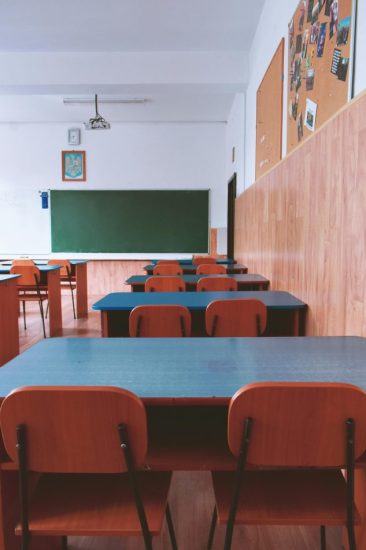
Modern classrooms include tools that bring clear lessons and simple help for every teacher. Daily tasks can fill hours with grading, planning, and sharing materials. New devices and apps can cut down on busy work and keep lessons on track. Reliable cameras show small objects in big detail. Fast check‑in tools save minutes at the start of class. Friendly apps read stories aloud and highlight words. Immersive viewers let lessons travel to faraway places. Direct messages connect staff and families with clear updates. These five tools help every teacher focus on guiding learners and keep tech tasks out of the way.
1. Interactive Touchscreen Displays for Engaging Lessons
Interactive touchscreen displays provide clear pictures and simple controls for lessons. Videos, images, and text are all displayed on large screens. Teachers can highlight words, write notes, and move slides by touching the screen. Students tap to answer questions and select objects. This tool helps every learner see content from any seat and stay focused on tasks. It can boost interest in reading, numbers, and science by showing bright colors and clear labels. Touchscreen displays connect to computers, tablets, and cameras to share tests, art, and maps. They also let teachers save notes and send them to students right away. Updates keep software fresh and let displays support new interaction styles and games for review.
2. Digital Gradebooks for Clear Progress Tracking
Digital grade books store scores in one place and show results with clear charts. Using basic forms on a computer or tablet, teachers submit grades for assignments, quizzes, and projects. To save time, the algorithm quickly computes averages and adds up scores. Charts and reports show when students meet goals in reading, math, science, and other subjects. Parents and older students see progress on a protected site without asking teachers for papers. Automatic reminders let learners know of missing work. Mobile apps send updates to phones, so results stay current. Secure backups protect records and prevent data loss. Access controls keep student data private and follow school rules. Saved information forms a history of learning that teachers can review at any time to plan lessons.
3. Quiz and Poll Apps for Instant Feedback
Quiz and poll apps let teachers ask questions in class and get answers instantly on student devices. These apps present multiple-choice, true-false, and short-answer questions at once so every student can reply quickly. Results appear on the teacher’s screen in real time. The tool helps show which concepts need more review and which students understand the work. For instance, classroom management software uses quizzes and polls to organize responses and track individual participation. Some apps run short games for spelling, math facts, and reading checks. Others hold simple surveys to let learners pick their favorite topics or vote on book choices. Automatic grading saves effort and gives clear reports. All responses are saved to a file that teachers can share or print for records.
4. Online Collaboration Platforms for Group Work
Online collaboration platforms bring students together on shared documents, slides, and whiteboards. Each learner writes, draws, or types side by side to build projects and reports. These platforms save changes automatically, so no work disappears. Access controls decide who can edit and who can view to keep work safe. Chat features let learners give feedback without leaving the platform. Tasks stay organized with clear labels and timelines. Comment tools let teachers highlight strong points and suggest improvements in clear notes. Group members may see deadlines and reminders on built-in calendars. File libraries inside platforms hold images, videos, and articles for reference. Mobile and desktop access means learners use phones or computers to join from any location. Regular updates add new features and improve security.
5. Resource Management Systems for Easy Lesson Planning
Resource management systems store lesson plans, teaching materials, and assessment guides in one secure place. Teachers upload slides, videos, and handouts so all files remain organized by subject and date. Search tools find specific topics quickly to avoid extra work. Writing lesson plans with divisions for goals, activities, and evaluations is made easier with built-in templates. Calendar views provide reminders for forthcoming lessons and indicate the best times to teach each course. Some systems include library links to open textbooks, worksheets, and images that align with standards. Tags let teachers sort materials by grade level, skill, or theme. Permission settings let staff share resources with colleagues while keeping private files secure. Backups save all documents to prevent loss. Easy export creates printable packets for offline use and supports learners who need paper copies.
Conclusion
Modern classrooms use smart tools that bring lessons, tracking, and collaboration together. Engaging displays, clear grade records, quick quizzes, shared platforms, and organized resources combine to make teaching simple. Teachers save time, and learners stay focused on learning. These tools fit any subject and help every student join in. Simple technology makes teaching and learning smooth, organized, and ready for today’s classrooms.
