
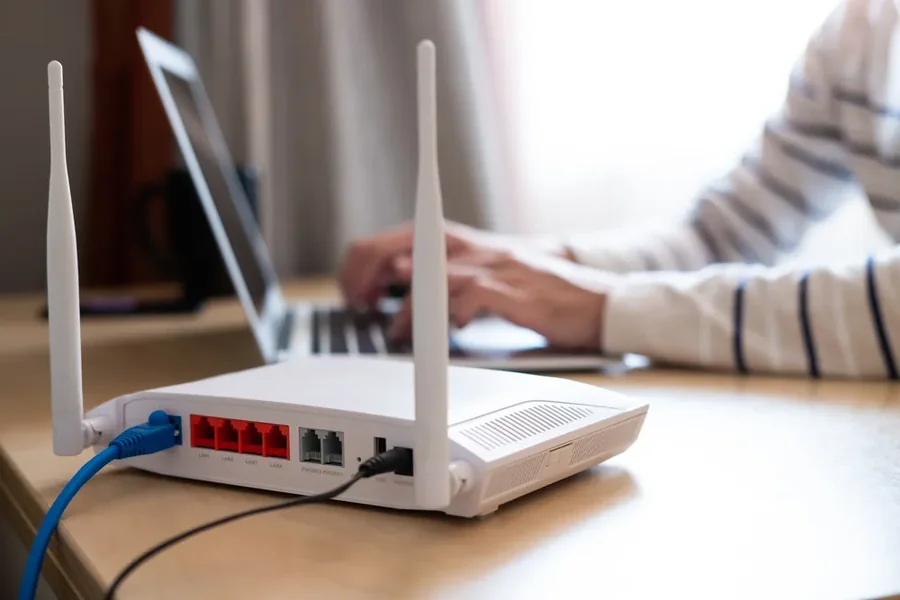
The digital age has made connectivity an indispensable part of our daily lives. Central to this connectivity is the router. Routers play a crucial role in networking by directing data traffic efficiently, thereby enabling multiple devices to connect to the internet seamlessly. Understanding how routers function can help individuals and businesses make informed decisions when setting up their networks.
Understanding Router Functions
Routers are networking devices that forward data packets between computer networks. Their primary function is to direct traffic within networks, ensuring that information sent from one device reaches the correct destination. This is achieved through a process called routing, where data is analysed and sent to its designated pathway.
The Importance of Routing Protocols
Routing protocols govern how routers communicate and share information to determine the best paths for data transmission. Common protocols include OSPF (Open Shortest Path First), BGP (Border Gateway Protocol), and RIP (Routing Information Protocol). Each protocol offers unique advantages depending on the network’s size and requirements.
Types of Routers
There are several types of routers, evolving to meet the demands of modern networking. Home routers are designed for personal use and support several devices simultaneously. These routers include basic security features to protect personal networks. Business routers, on the other hand, offer enhanced security, scalability, and manageability, catering to enterprise-level operations. Other routers include core routers and edge routers, each serving specific roles within a larger network architecture.
Wireless vs Wired Routers
Routers can be classified based on their connectivity: wireless and wired. Wireless routers, also known as Wi-Fi routers, offer the convenience of a cable-free connection, allowing devices to connect to the internet using radio waves. They are ideal for household use where mobility is key. Wired routers, while offering more stable connections, require physical cables and are suited for environments where reliability and speed are paramount.
Router Security Features
Security is a significant aspect of any network, and routers are the first line of defence against cyber threats. Modern routers come equipped with various security features, including firewalls, VPN support, and intrusion detection systems. These features work together to block unauthorised access and protect sensitive information from cybercriminals.
Advancements in Router Technology
The field of networking continually evolves, leading to advancements in router technology. Modern routers now support high-speed internet connections, dual-band or even tri-band technology, which allows multiple frequency bands to operate simultaneously. This reduces interference and enhances the network’s overall performance.
Considerations When Purchasing a Router
Choosing a router involves considering several factors. One must assess the network size, the number of connected devices, and specific features such as parental controls, guest networks, and Quality of Service (QoS) settings. It is also essential to consider the router’s compatibility with the internet service provider to ensure optimal performance.
Setting Up Your Router
Setting up a router is a straightforward process. It often involves connecting the device to a modem, configuring settings through a web interface or app, and ensuring security protocols are active. Understanding these basic setup steps can help users maintain secure and efficient home or business networks.
Common Router Issues and Solutions
While routers are reliable devices, users may encounter common issues such as connectivity drops, slow internet speeds, or signal interference. Troubleshooting usually involves resetting the router, changing channel settings, or updating firmware to the latest version.
The Future of Router Technology
The future of routers is promising, with technologies like mesh networking and Wi-Fi 6 paving the way for faster and more reliable connections. Mesh networks eliminate dead zones by using multiple nodes to cover larger areas, whereas Wi-Fi 6 offers improved efficiency, higher speed limits, and better device management.
The Role of Routers in IoT
The rise of Internet of Things (IoT) devices further elevates the role of routers. As more devices become interconnected, routers will need to support increased bandwidth and ensure robust security. IoT-friendly routers are emerging, equipped to handle the complex demands of connected environments.
Integrating Routers with Smart Home Systems
Routers are integral to smart home ecosystems, acting as the central hub for devices like smart thermostats, cameras, and lights. Ensuring compatibility between routers and smart home devices will facilitate seamless control and automation within a domestic setting.
Sustainability and Routers
Environmental considerations in router manufacturing and operation are gaining attention. Energy-efficient routers help reduce electricity consumption, contributing to lower costs and a smaller carbon footprint. Innovations in this area aim to create more sustainable networking solutions for the future.
Conclusion
Routers are vital components of both personal and professional networks. With numerous features and advancements, they continue to support our increasing demand for connectivity. By understanding their functions and capabilities, consumers and businesses can make informed choices to enhance their network experiences.
